


Battle Lab
Last updated
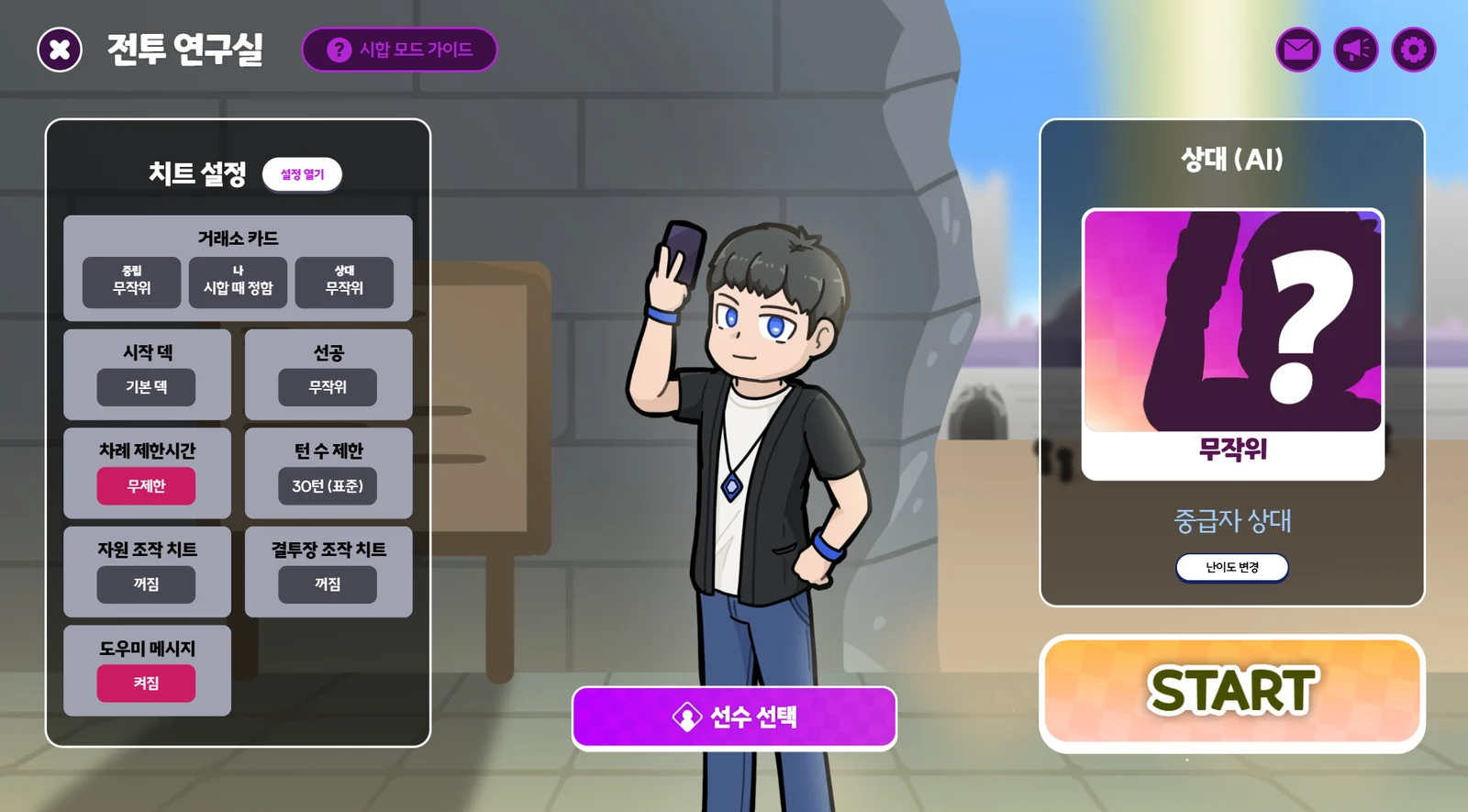
What is the Battle Lab?
The Battle Lab is one of the Solo Modes, where you can play matches against the AI.
Selecting your Duelist
Press the “Duelist Select” button below to choose the Duelist you'll use for this match. In the Battle Lab, you can pick any Duelist, even ones you don't own, and play without using up a “Trial Ticket” item. Feel free to try them out!
Cheat Settings
Make full use of the Cheat Settings! The Battle Lab offers a range of cheats and other settings so you can try out and study all kinds of matches.
How to open Cheat Settings
Lobby
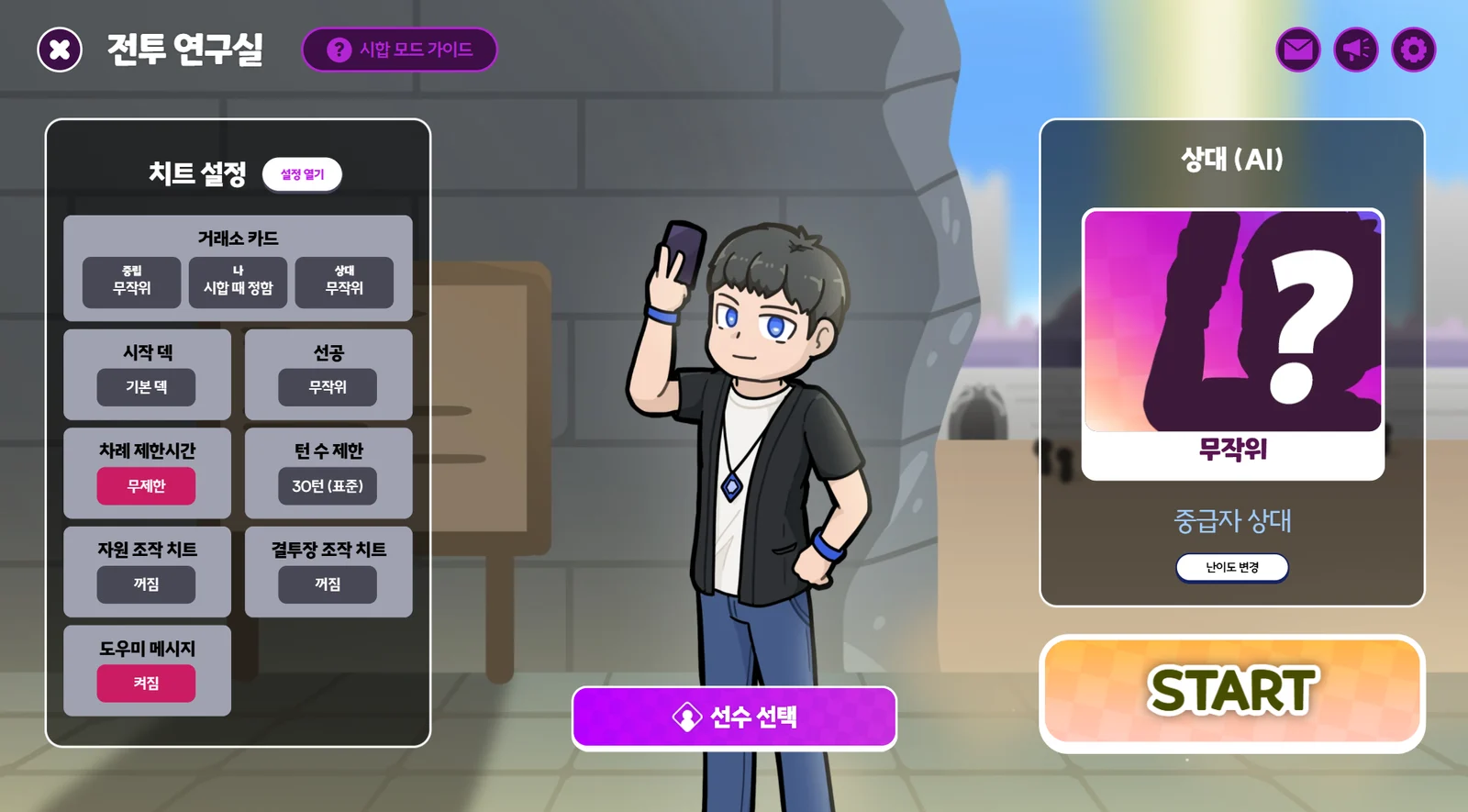
- Press the “Open settings” button at the top left to open the settings.
- Click any setting in the list on the left to open it right away.
- Press the “Change difficulty” button on the right to open that setting right away.
During a match
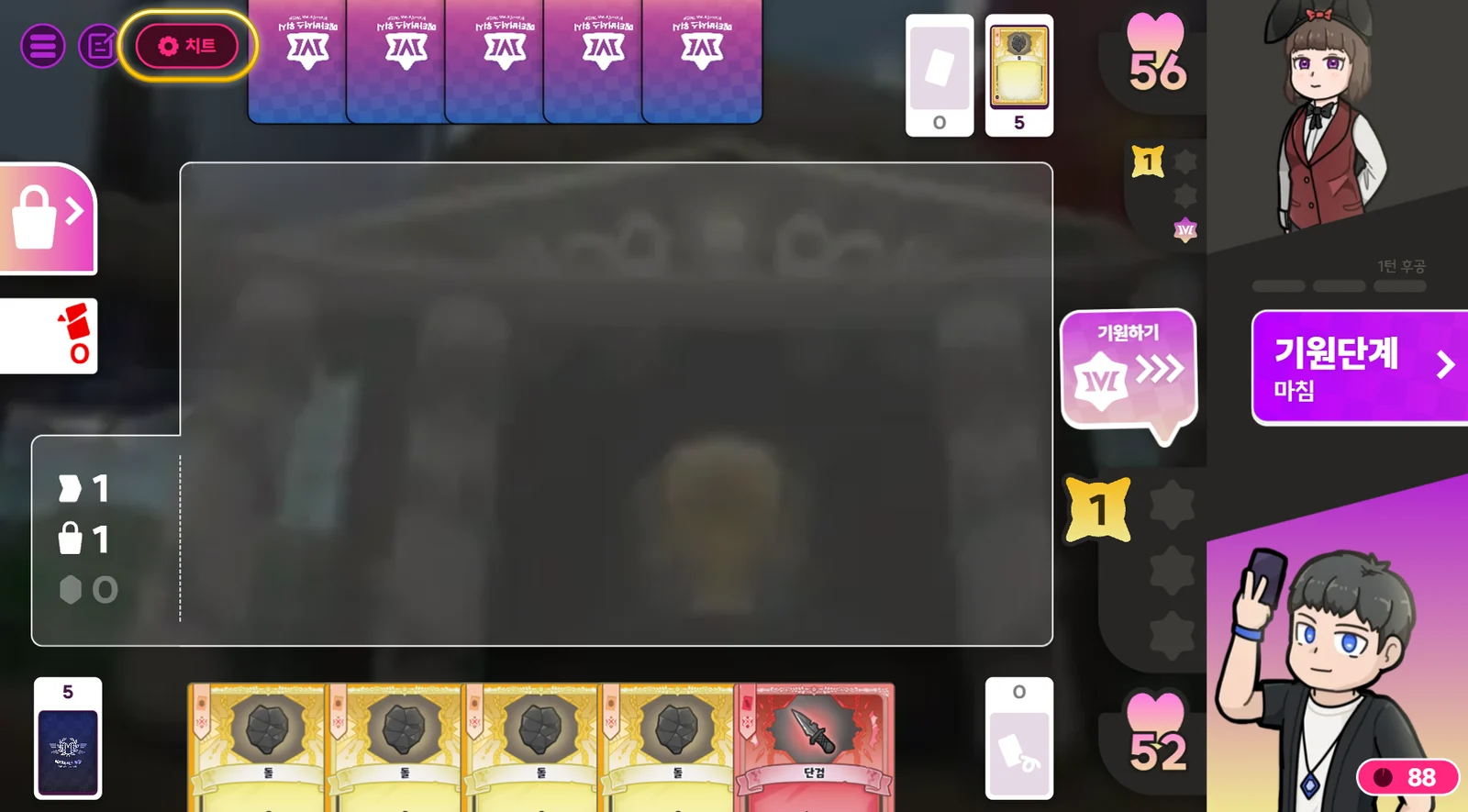
- Press the “Cheat” button at the top left to open the settings.
All Cheat Settings
Market Cards
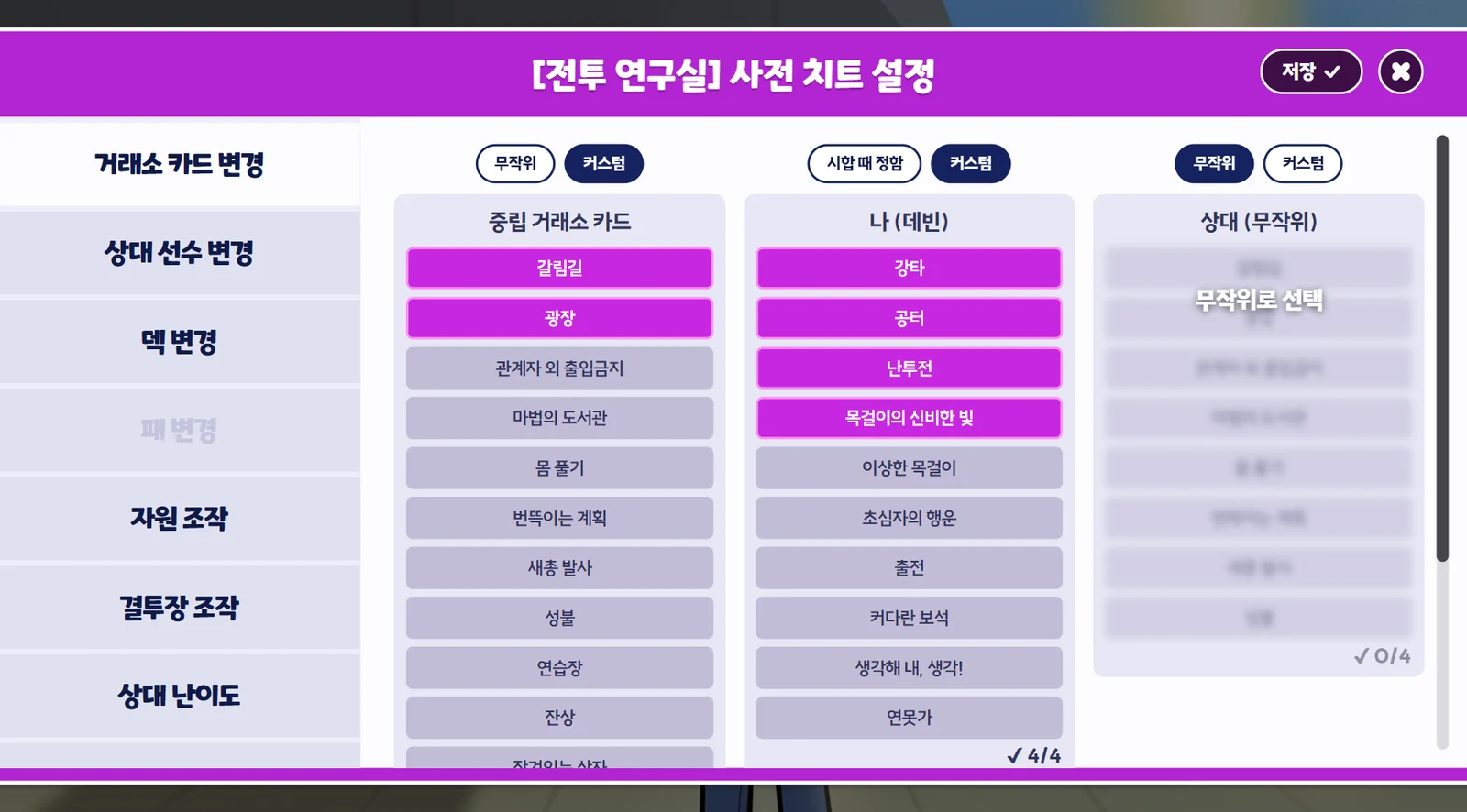
- You can set the Neutral Market Cards, your Market Cards and the Rival's Market Cards in advance, or change them during a match.
- The defaults are Random / Decided in match / Random, respectively.
- If you change them during a match, new cards are immediately restocked up to 6.
- Cards already added to your deck won't disappear. (If needed, adjust them in “Deck” / “Change hand”.)
- The Rival's Market Cards can only be set once you've chosen a rival in “Rival Duelist”.
Rival Duelist
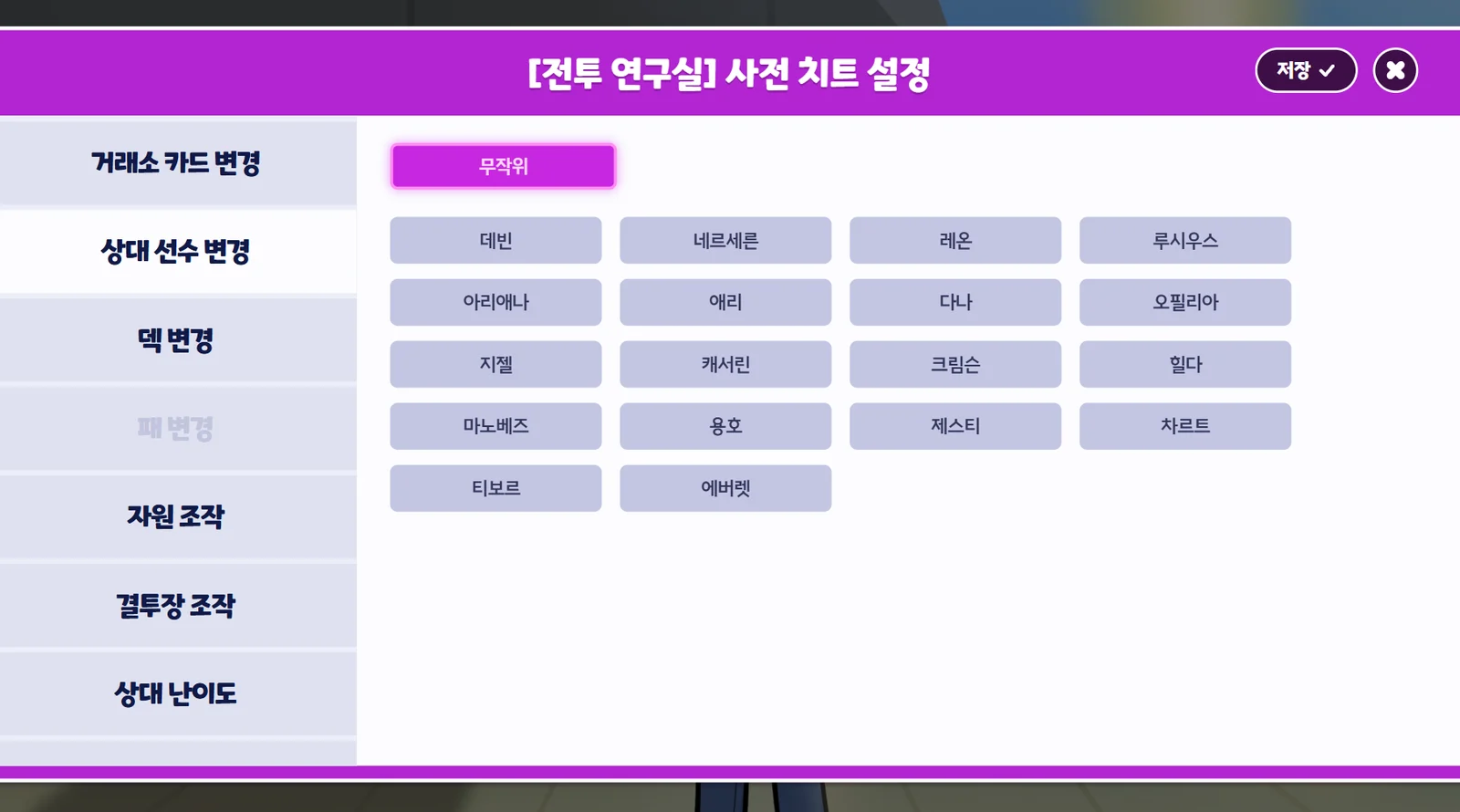
- Before a match, you can choose the rival Duelist from all available Duelists.
- The default is Random.
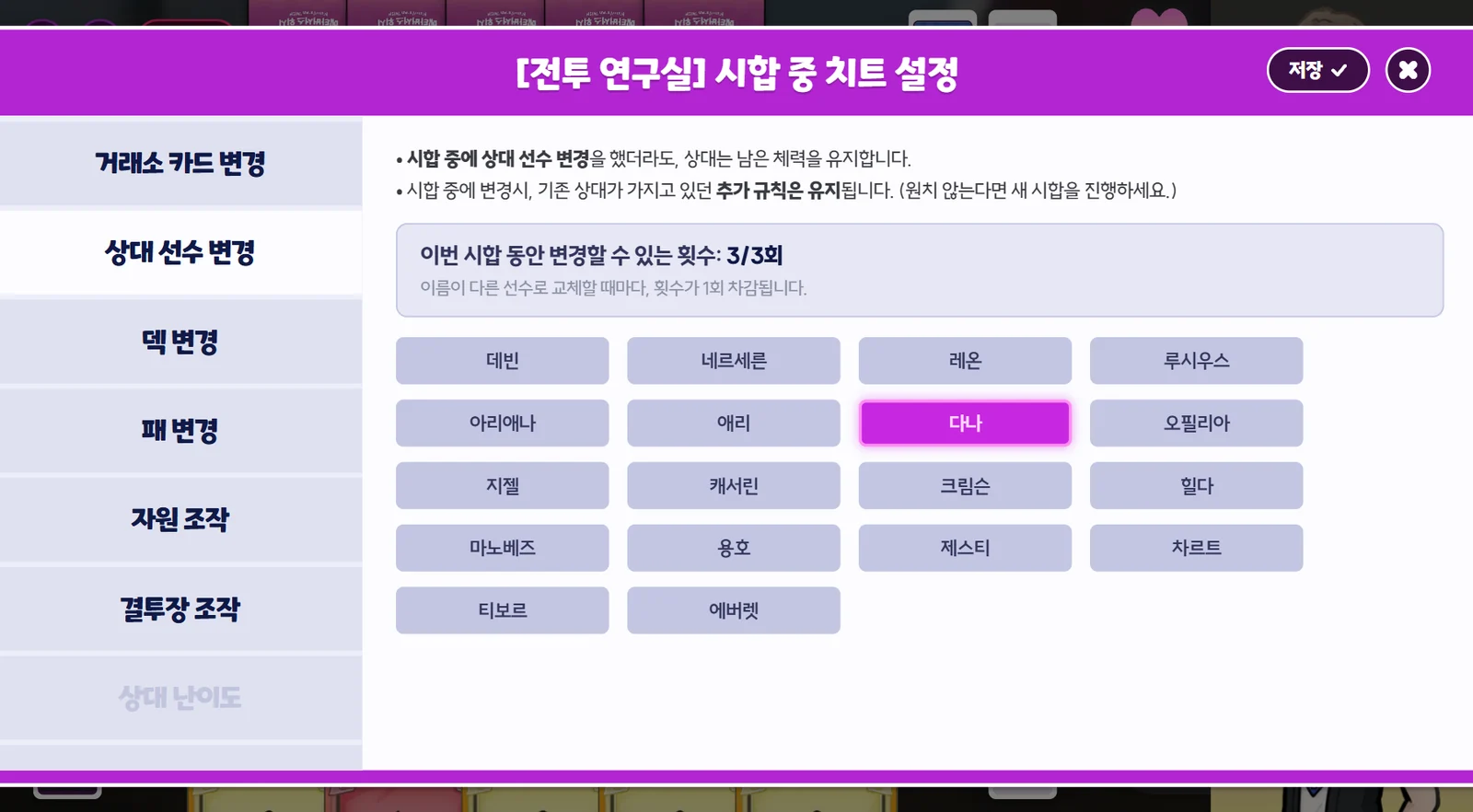
- You can also force a change of rival Duelist during a match.
- Even if you change the rival Duelist mid-match, the rival keeps their remaining HP.
- When you change the rival Duelist mid-match, any Additional Rules the previous rival had are kept. (If you don't want this, start a new match.)
- You can change the rival Duelist up to 3 times per match.
Deck
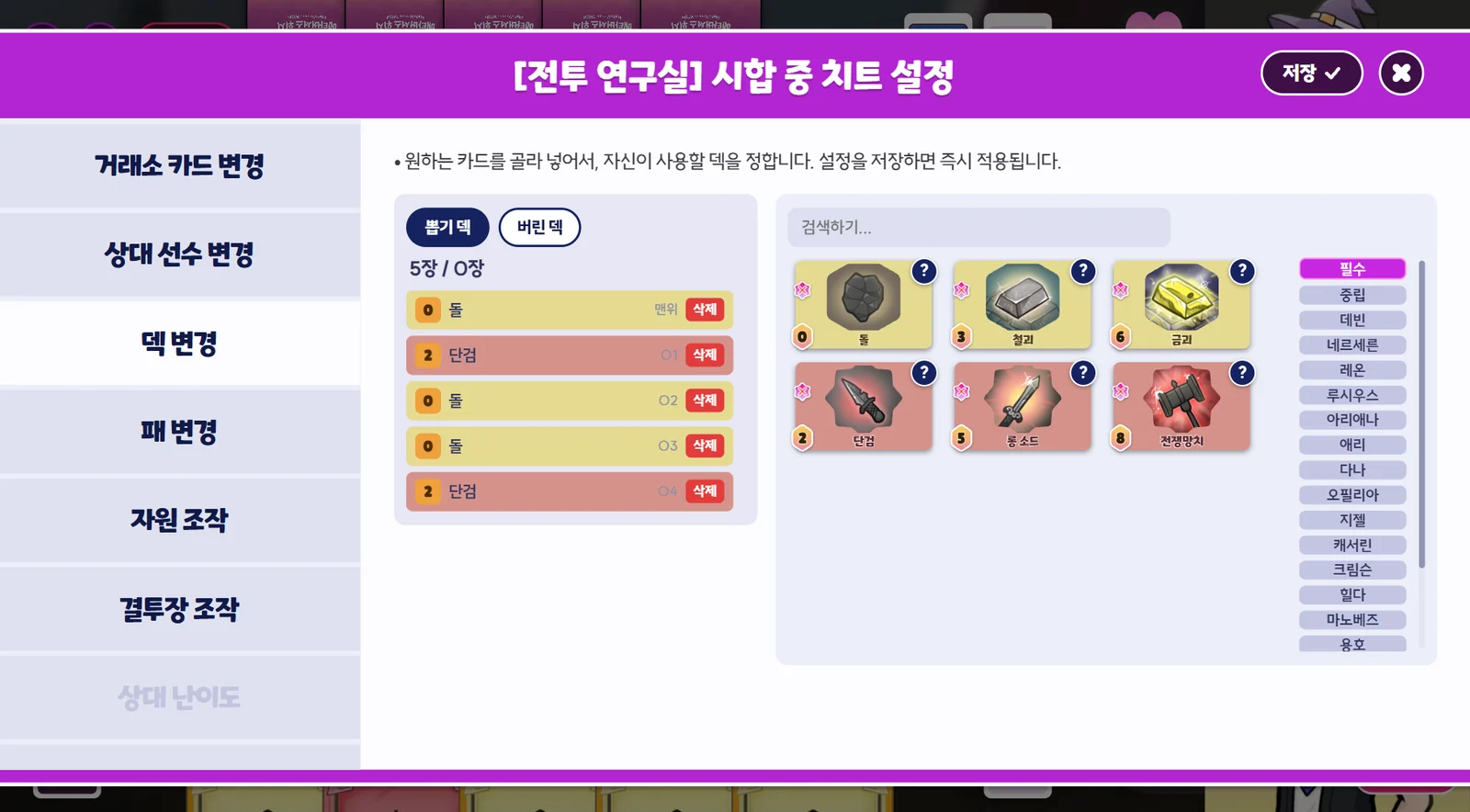
- You can change your Draw Deck and Discard Pile before or during a match.
- Before a match, you can only set your Draw Deck.
- If you set your deck during a match, it changes immediately.
- Besides your selected Duelist's cards, you can also add Essential/Neutral Market Cards and other Duelists' cards to your deck.
- You can also drag cards to change their order in the deck.
Change hand
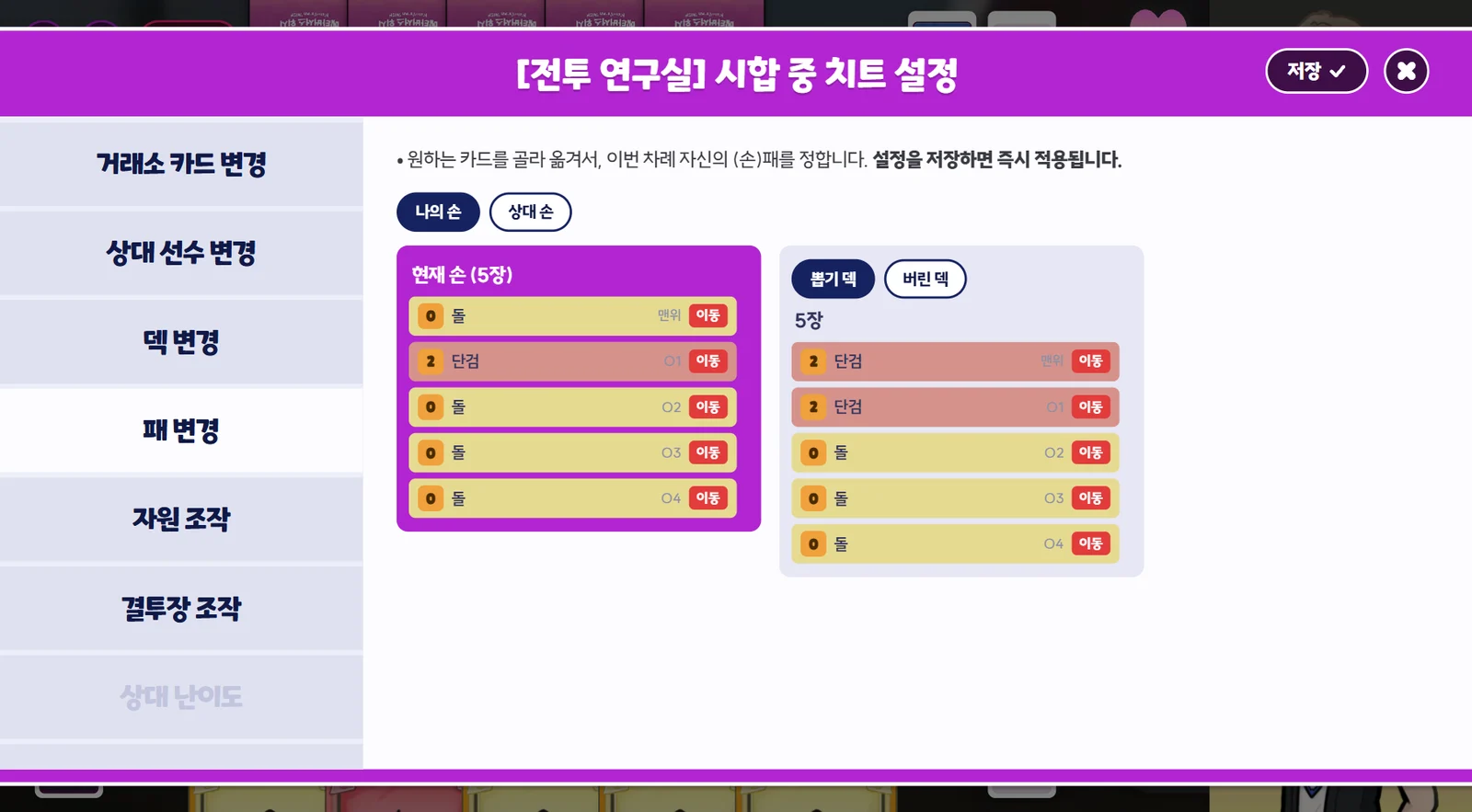
- During a match, you can change the cards in your hand or the Rival's hand.
Resource Control
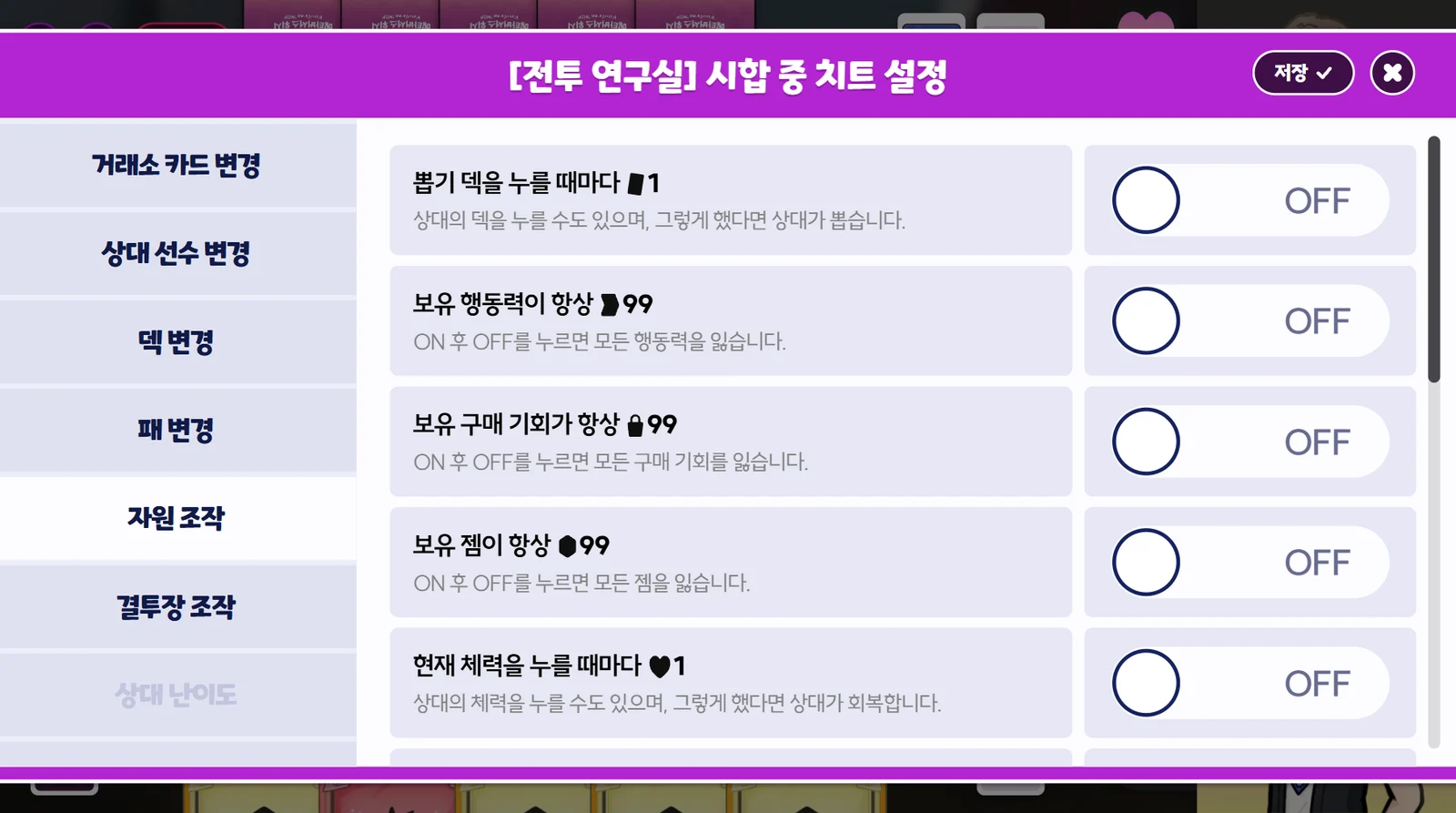
- Before or during a match, you can turn on settings that give you resources whenever you perform a special action. All settings are OFF by default.
| Cheat | Notes | When to Set |
|---|---|---|
| +1 Card each time you click the Draw Deck | You can also click the Rival's deck. If you do, the Rival draws. | Anytime |
| Always have 99 AP | Turning it OFF after turning it ON makes you lose all your AP. | Anytime |
| Always have 99 Buys | Turning it OFF after turning it ON makes you lose all your Buys. | Anytime |
| Always have 99 Gems | Turning it OFF after turning it ON makes you lose all your Gems. | Anytime |
| +1 HP each time you click your current HP | You can also click the Rival's HP. If you do, the Rival heals. | Anytime |
| 1 Damage each time you click a Duelist | You can also click your own Duelist. If you do, you take the damage. | Anytime |
| +1 Wishing Star each time you click an empty Wishing Star slot | You can also click the Rival's empty slots. If you do, the Rival gains it. | Anytime |
| If your Skill has a limited number of uses, fix it at 99 | Turning it OFF after turning it ON makes you lose all uses. | Anytime |
| If the Rival's Skill has a limited number of uses, fix it at 99 | Turning it OFF after turning it ON makes the Rival lose all uses. | Anytime |
| Restore your HP to Max HP | During a match only | |
| Restore the Rival's HP to Max HP | During a match only | |
| Deal damage until the rival's HP is 1 | No damage is dealt if HP is already 1 or lower. | During a match only |
| Deal damage until your HP is 1 | No damage is dealt if HP is already 1 or lower. | During a match only |
Arena controls
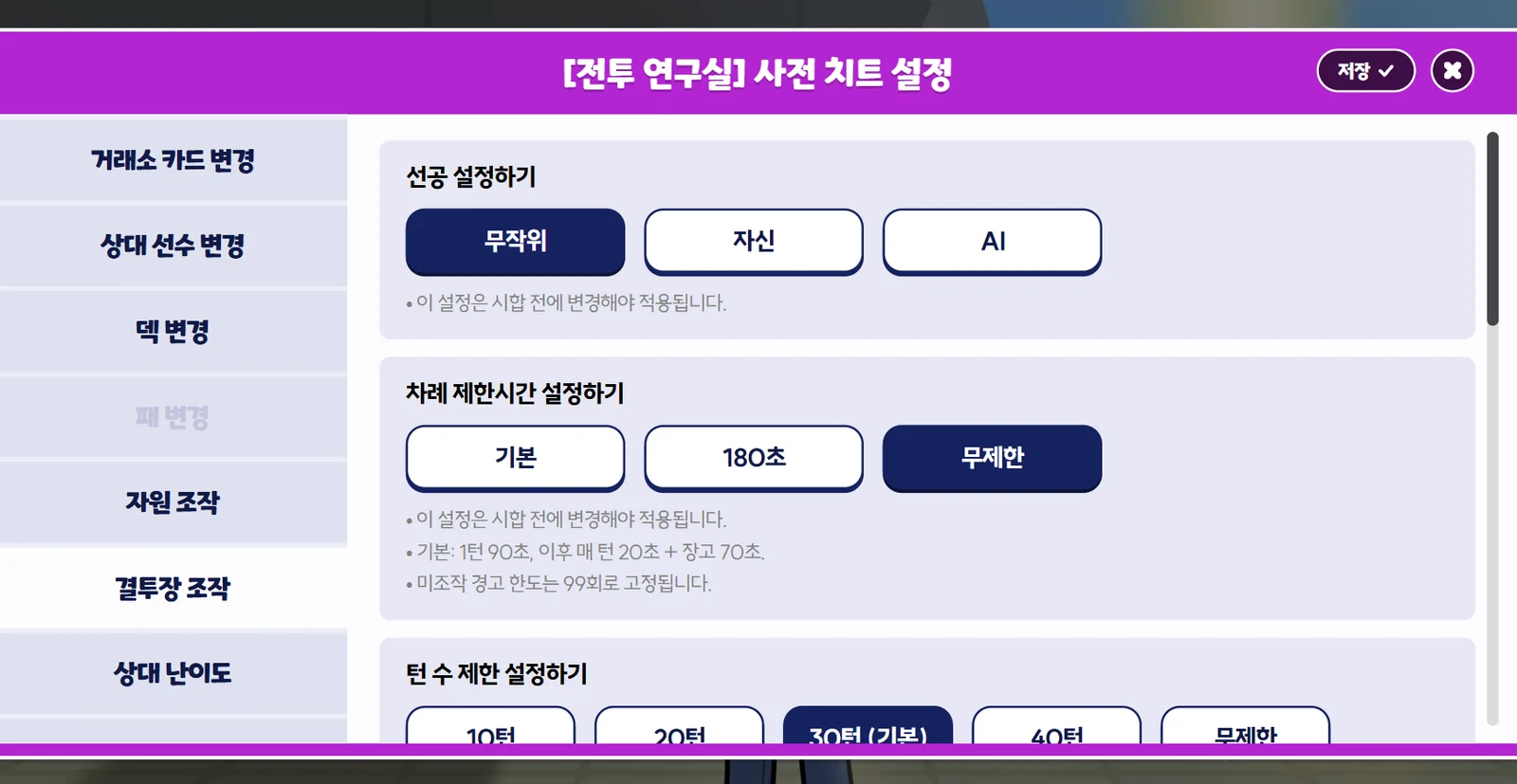
- You can change the match rules or set up the arena environment before or during a match.
| Cheat | Notes | When to Set |
|---|---|---|
| Set the First Player Random / You / AI | Before a match only | |
| Set the turn time limit Default / 180 sec. / Unlimited | • Default: 90 sec. on turn 1, then 20 sec. per turn + a 70 sec. time bank • The inactivity warning limit is fixed at 99. | Before a match only |
| Set the turn limit 10 turns / 20 turns / 30 turns (Default) / 40 turns / Unlimited | When the Second Player finishes their last turn X, the match ends and the Duelist with more HP wins. (If tied, the First Player wins.) | Before a match only |
| For the rest of your turn, set the Cost of all Market Cards to 0 Gems, restoring the original Cost once you gain a card | During a match only | |
| Restock the Neutral Market Cards | Restocks at random from all cards. Currently stocked cards are deleted. | During a match only |
| Restock your Character Market Cards | Restocks at random from all cards. Currently stocked cards are deleted. | During a match only |
| Restock the Rival's Character Market Cards | Restocks at random from all cards. Currently stocked cards are deleted. | During a match only |
| Fix stocked Neutral/Character Market Cards at 99 each | Turning it OFF after turning it ON sets them to 6 each. | Anytime |
| Fix stocked Essential Market Cards at 99 each | Turning it OFF after turning it ON resets them to the starting count. | Anytime |
| Delete the top 3 cards of the stocked “Dagger”, “Longsword” and “Warhammer” | During a match only | |
| Delete every card in the Remove Pile | During a match only | |
| Continue the match even if someone's HP drops to 0 or lower | • HP can't drop below -99. • Once this setting is turned ON, it can't be turned OFF for the rest of the match. | Anytime |
Rival difficulty
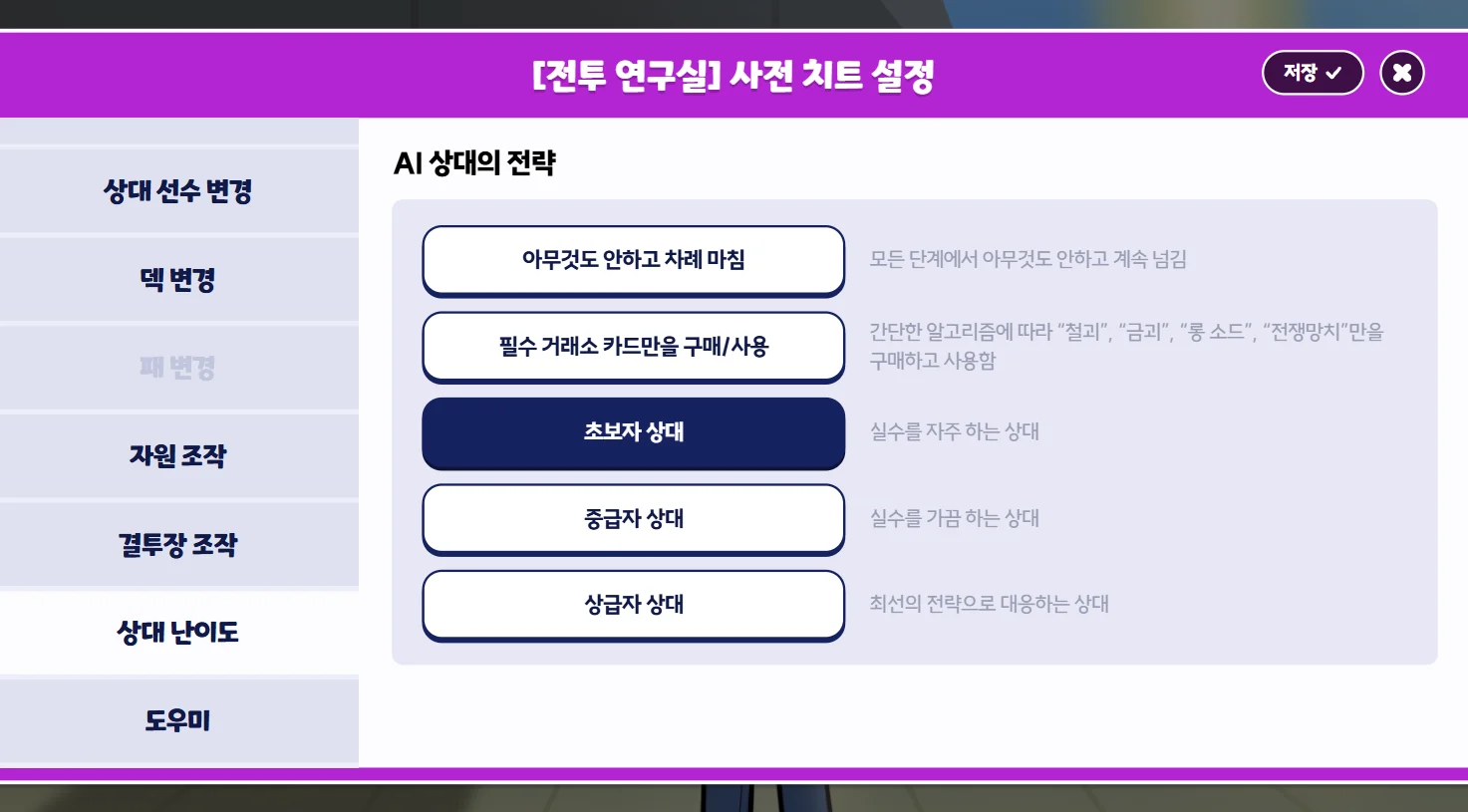
- You can set the AI Rival's strategy before a match.
Difficulty Strategy Ends the turn without doing anything Passes every phase without doing anything Buy/use only Essential Market Cards Follows a simple algorithm and only buys and uses “Iron”, “Gold”, “Longsword” and “Warhammer” Beginner rival A rival who often makes mistakes Intermediate rival A rival who sometimes makes mistakes Advanced rival A rival who answers with the best strategy
Coach
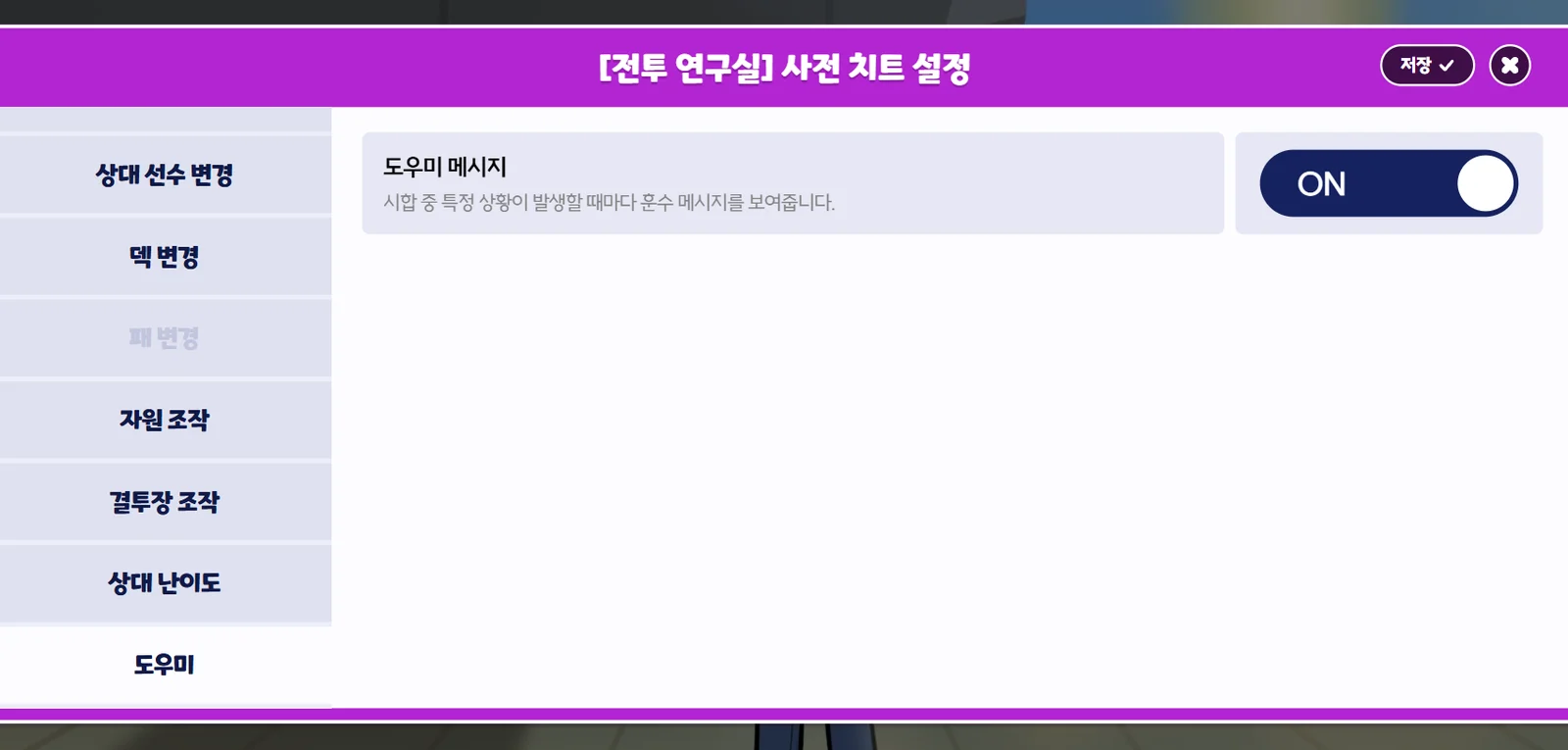
- Before or during a match, you can turn on or off a feature that sends you tips whenever certain situations come up in the match.
- This setting is turned ON if your Account Level is low.
Need more help?
Reach out by visiting ourofficial Discord server or by emailing help@metaversus.dev.