


Recommendations for New Duelists
Last updated
Welcome to MetaVersus WISH Online! This guide shows new Duelists what to try first.
Select Match Mode
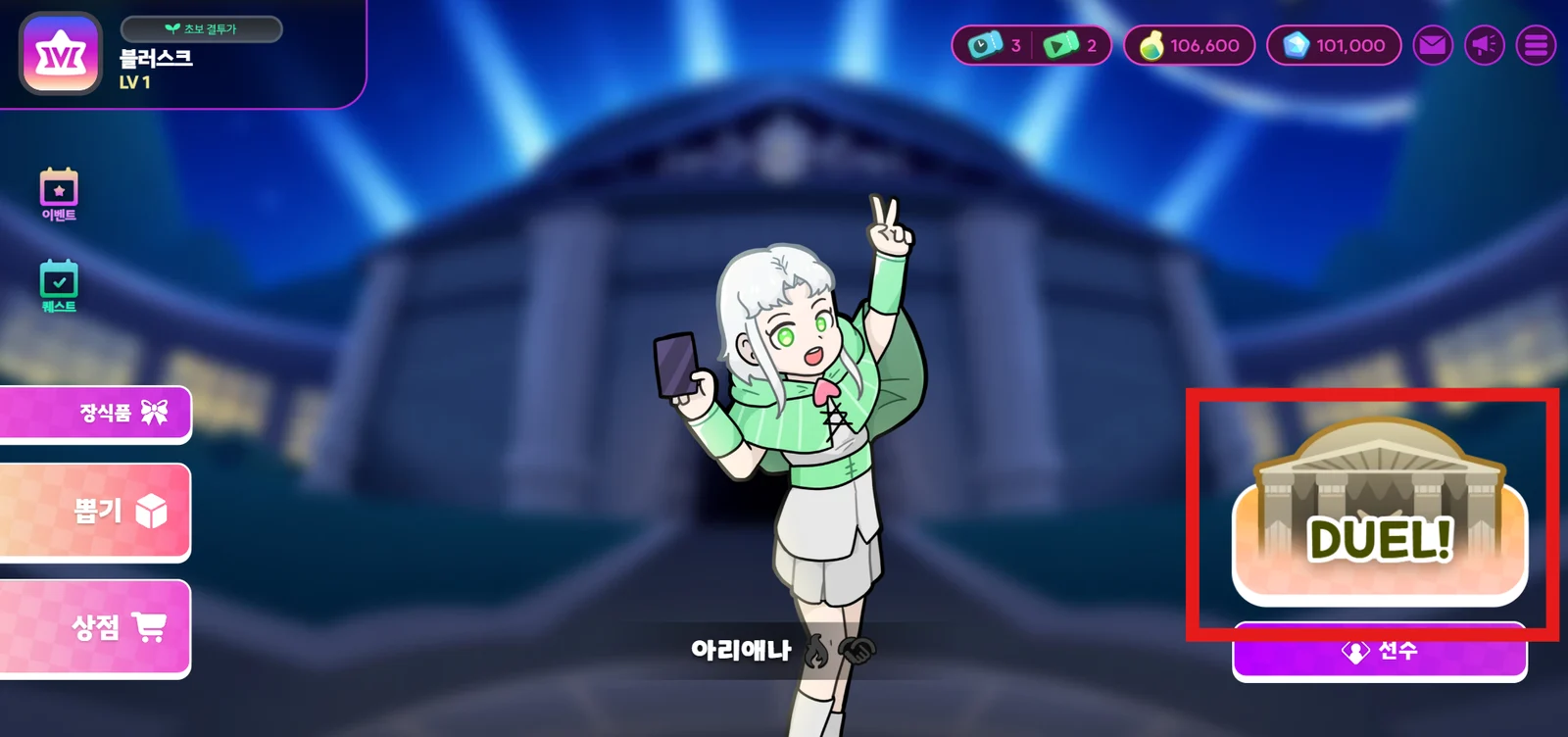
To battle a Rival, first choose a match mode. Tap the DUEL! button in the bottom right of the main lobby to pick a mode.
Recommended Matches for Beginners
Tutorial Stage
If this is your first time playing, start with the Tutorial. The Tutorial is a set of practice battles that teach you the rules of the game.
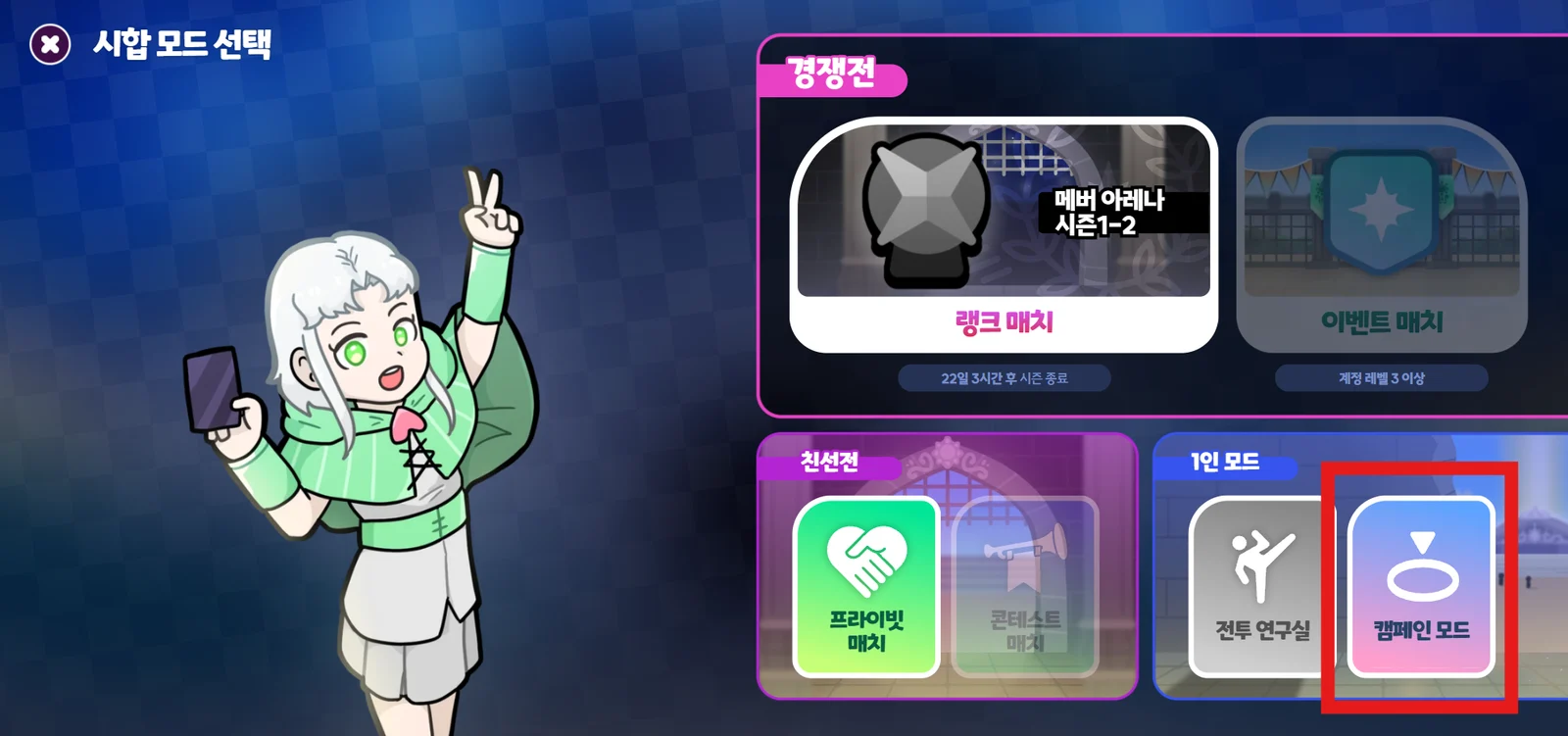
- Tap Main Lobby - DUEL!, then select "Campaign Mode" on the Select Match Mode screen.
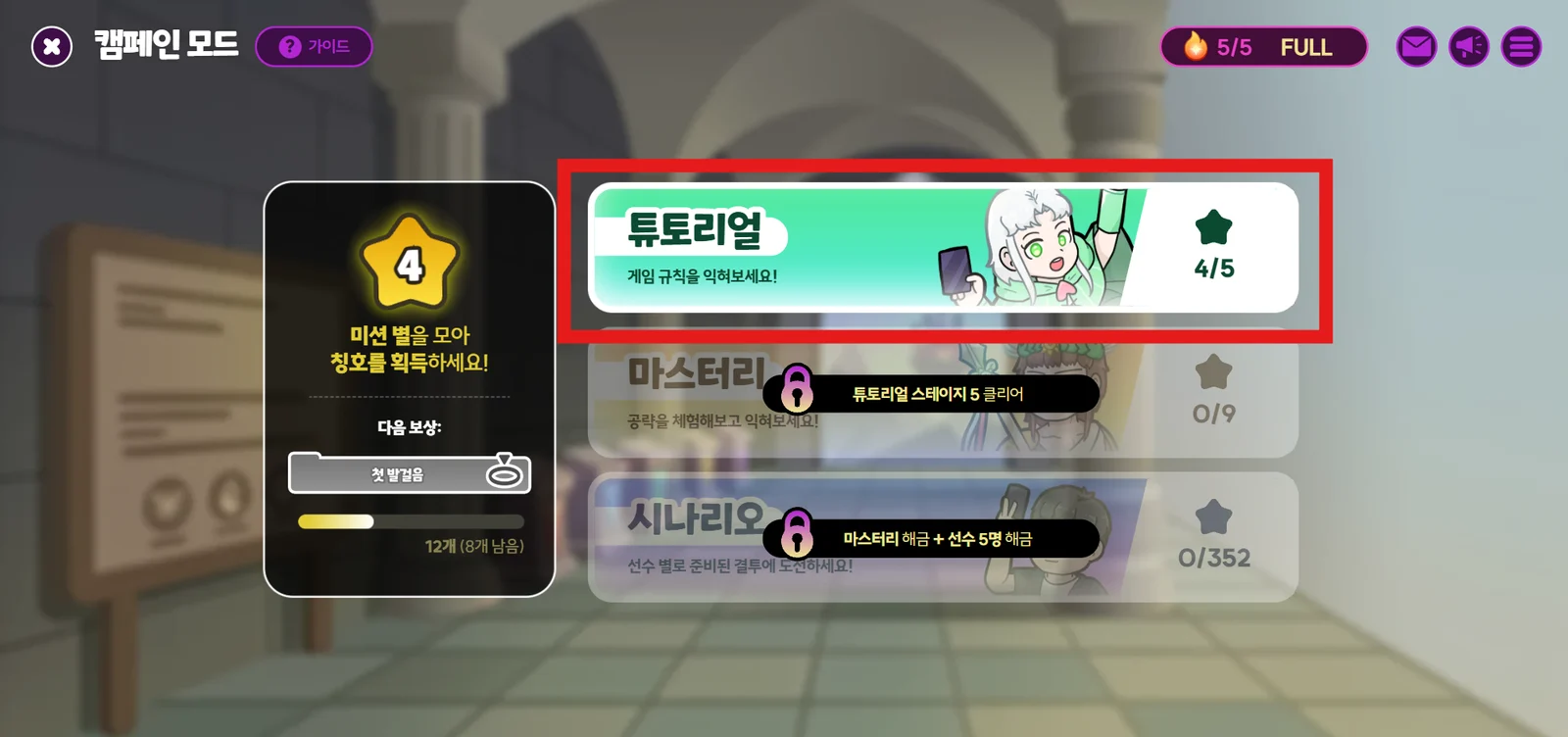
- In Campaign Mode, select "Tutorial".
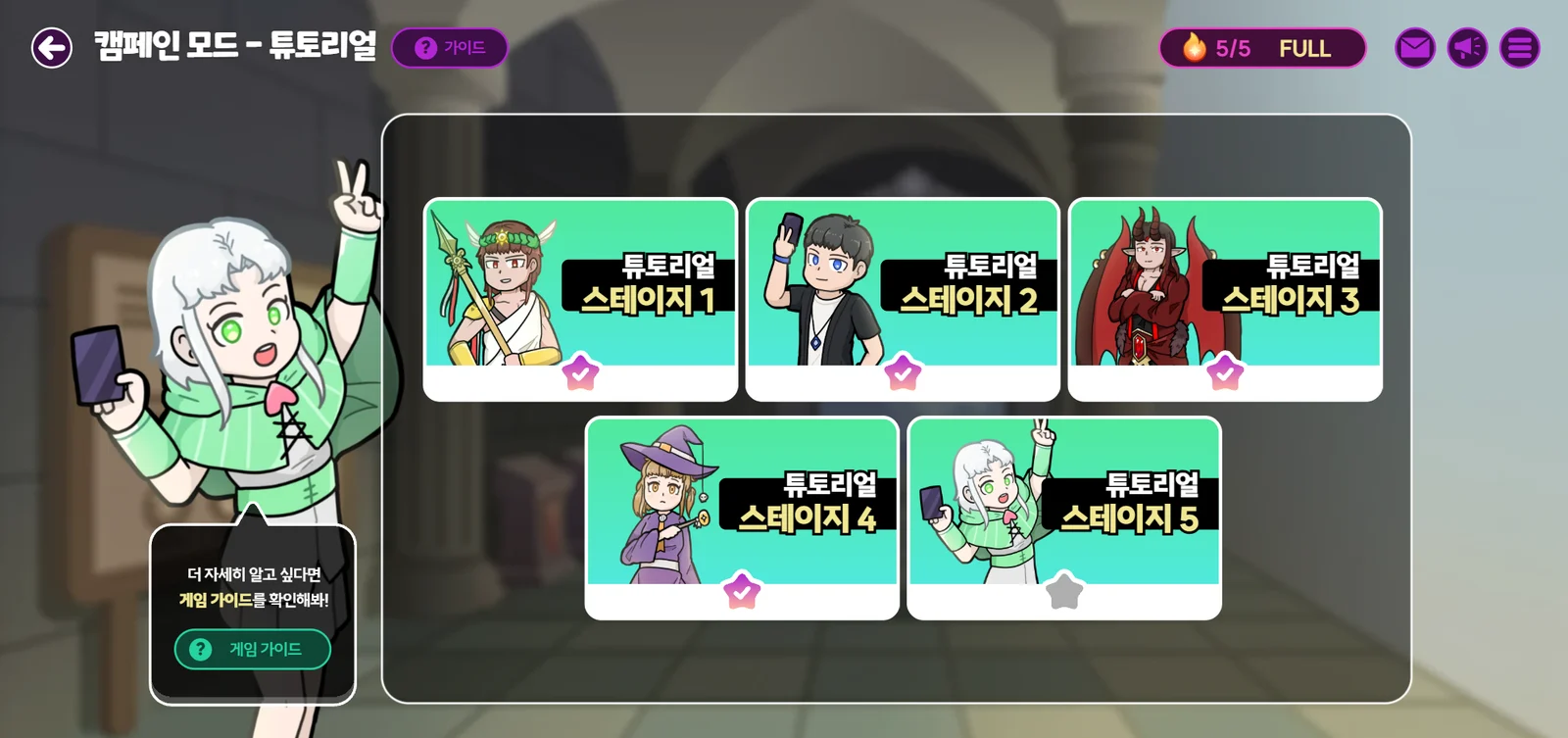
- Play through the 5 practice matches in order to learn the rules.
If the game still isn't clear after the Tutorial, check out the "Game Guide" in the bottom left!
Mastery Stage
Once you clear every Tutorial stage, you unlock the Mastery Stages, where you can learn game strategies.
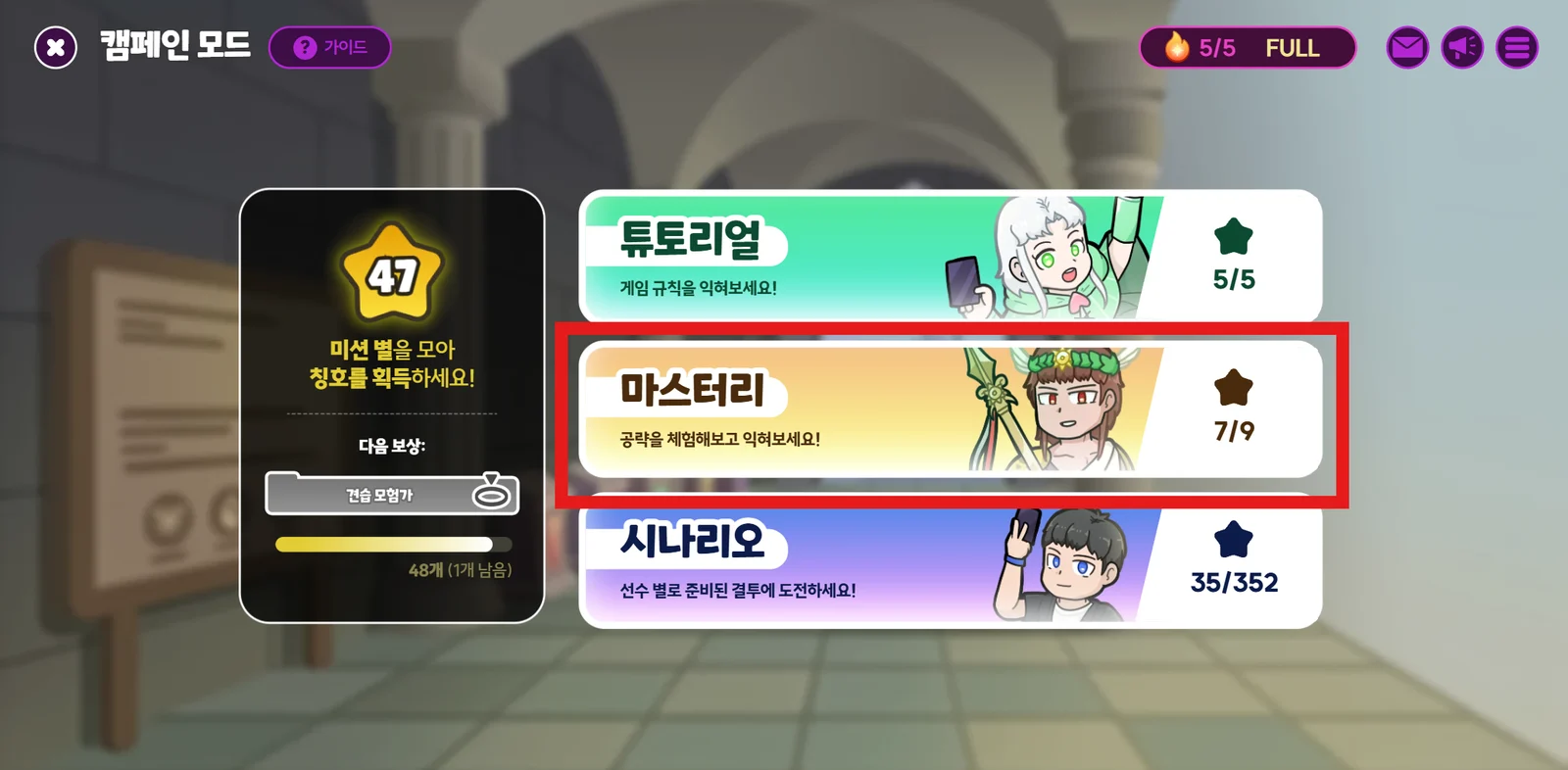
- In Campaign Mode, select "Mastery".
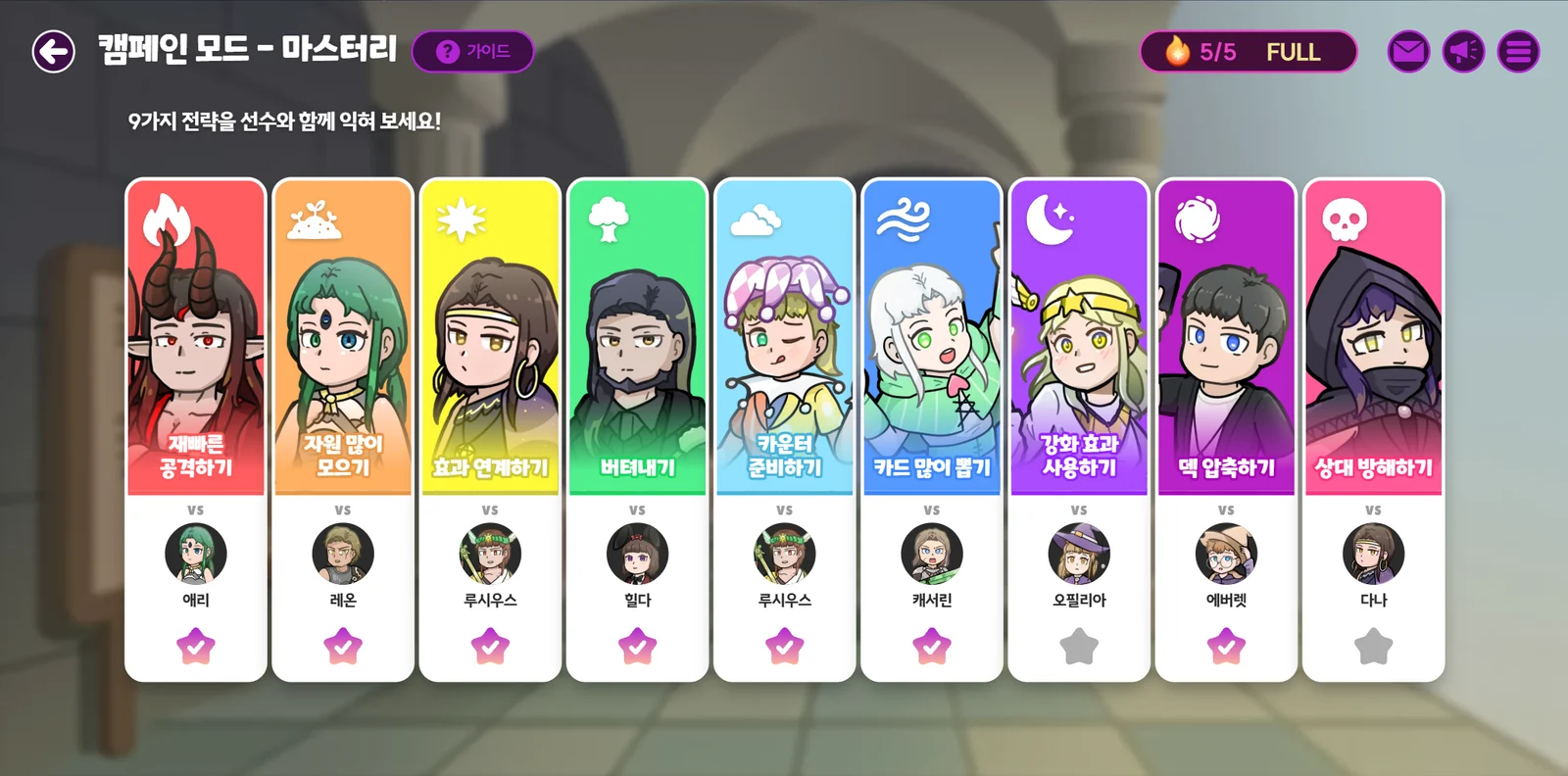
- Choose the stage you want.
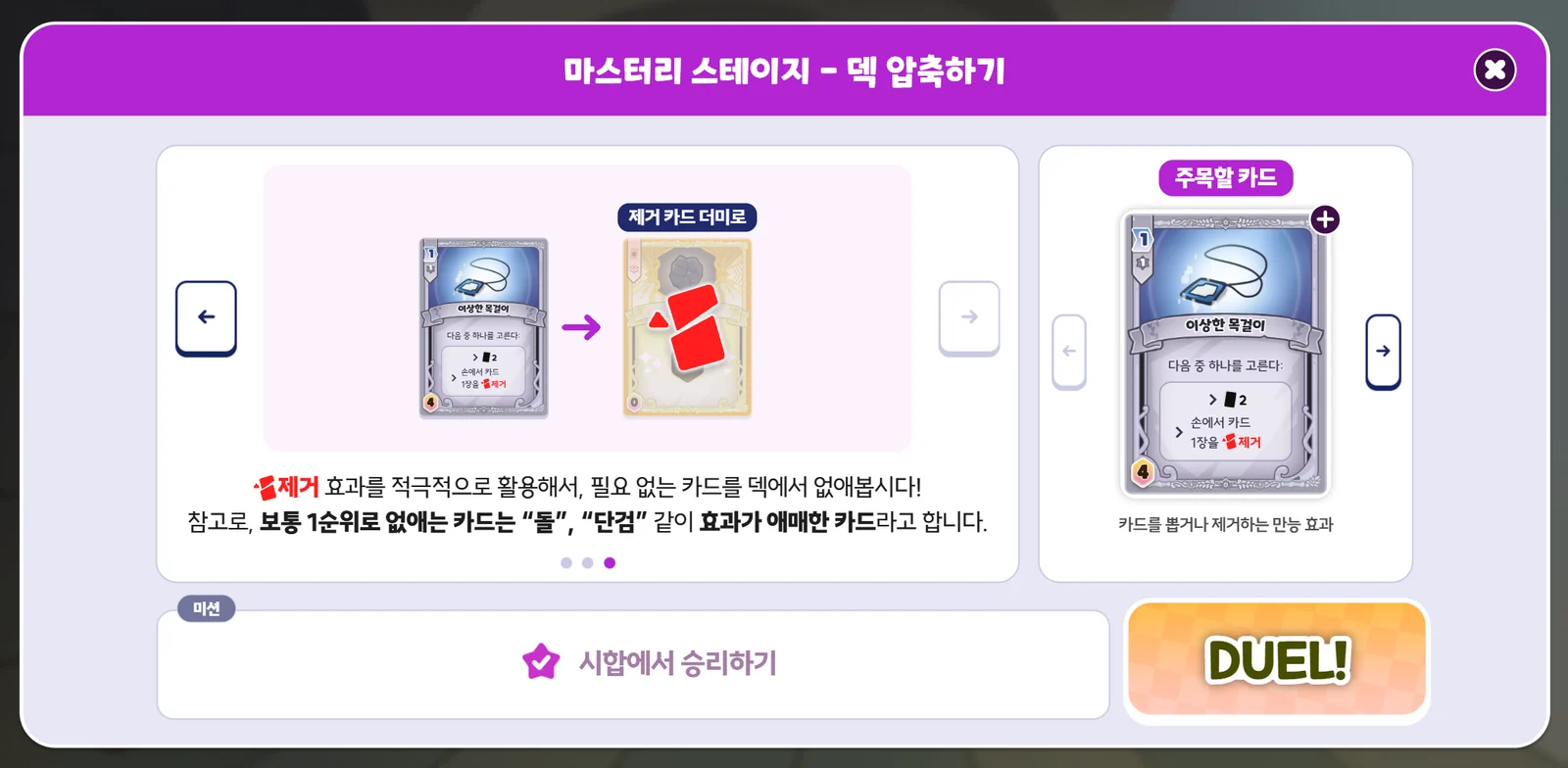
- Before entering a stage, read the hints prepared for each strategy. You can bring this screen back up at any time during a match by tapping the "Hint" button in the top left.
Battle Lab
Play relaxed practice matches in the Battle Lab, where you can freely battle AI Rivals.
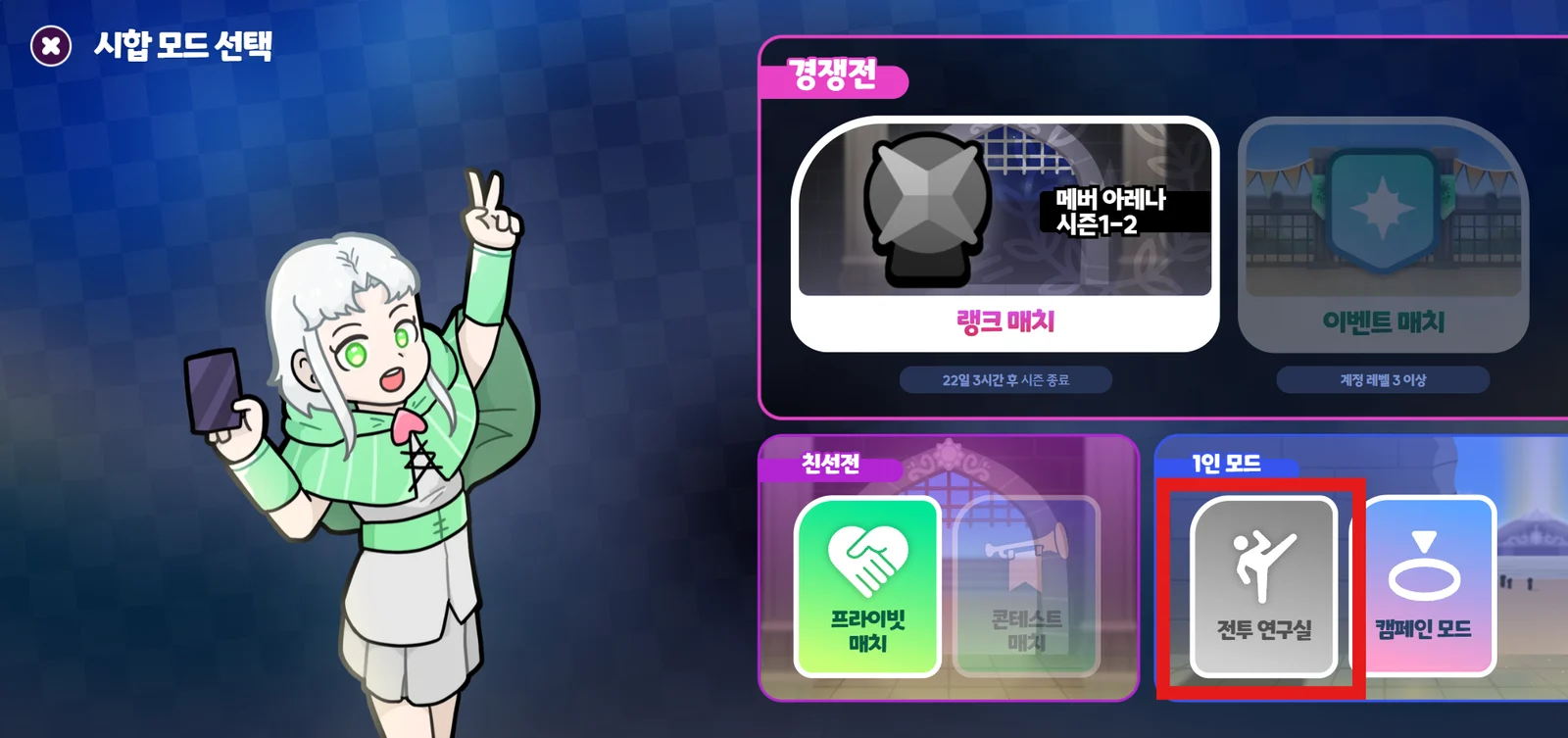
Tap Main Lobby - DUEL!, then select "Battle Lab" on the Select Match Mode screen.
Battle Lab Lobby
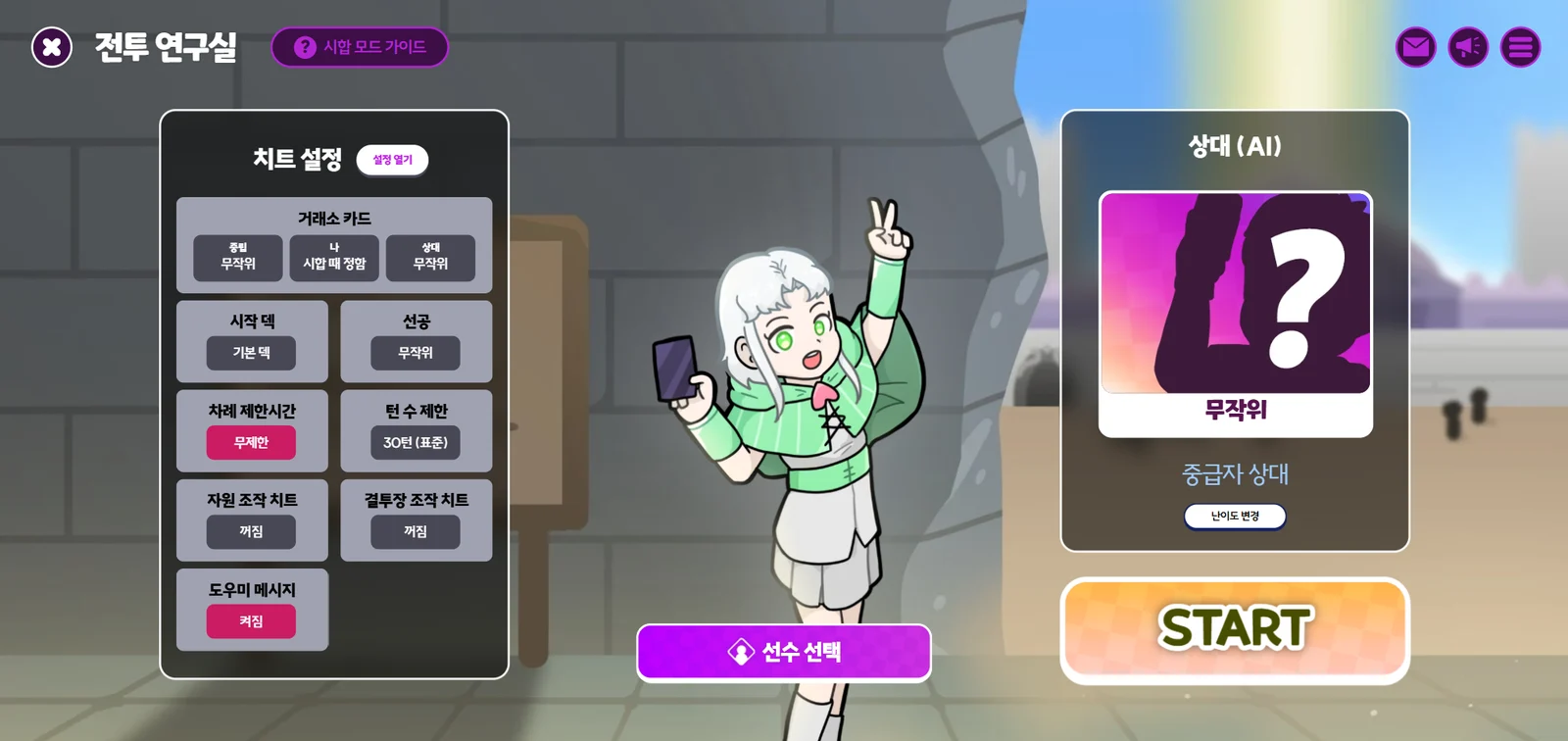
In the Battle Lab lobby, you can adjust a variety of settings to suit you.
Use Cheat Settings to set up the match however you like, then save.
- Here are the recommended settings for beginners:
- Market Cards / Rival Duelist / Deck / Change hand / Resource Control
- Leave as is
- Arena controls
- Set the First Player
- Random
- Set the turn time limit
- Unlimited
- Set the turn limit
- 30 turns (Default)
- Other settings
- Leave everything as is
- Set the First Player
- Rival difficulty
- Beginner rival
- Coach
- Coach messages ON
- Market Cards / Rival Duelist / Deck / Change hand / Resource Control
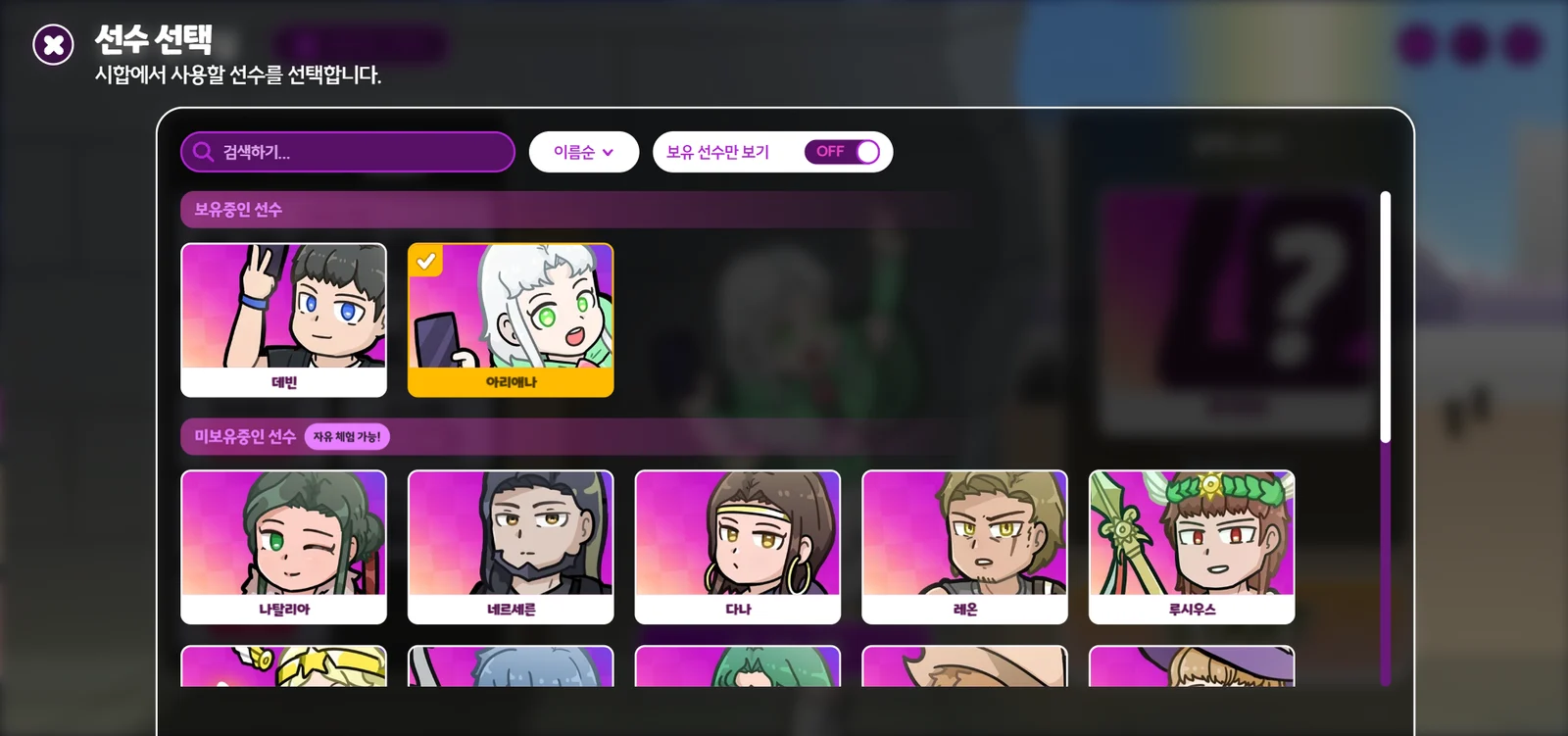
Tap the Duelist Select button and choose the Duelist you'll use in this match.
- Tap the "Name" button at the top to change the sort order. Sort by "Difficulty" and start with the Easy Duelists.
- In this mode, you can freely pick and play any Duelist, even ones you don't own, and playing a Duelist you don't own won't use up a "Trial Ticket". Try Duelists out here before you unlock them.

- Tap a Duelist once to show a check button to select them and a magnifying glass button to view their details.
When you're done with the settings, tap START to begin the match.
Reading the Duelist Details
Before playing a Duelist, or when you want to learn about your Rival's Duelist, check the "Duelist Details". You can open this screen in several ways.
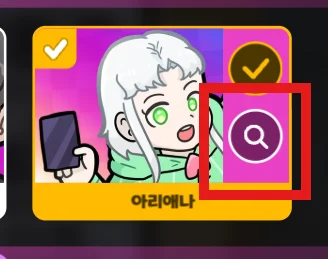
Choose a Duelist on the Duelist Select screen, then tap the magnifying glass button that appears
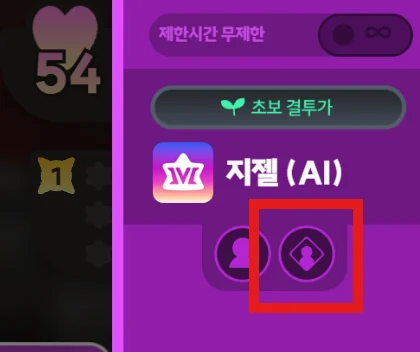
During a match, open the menu on the right and tap the Duelist Details button
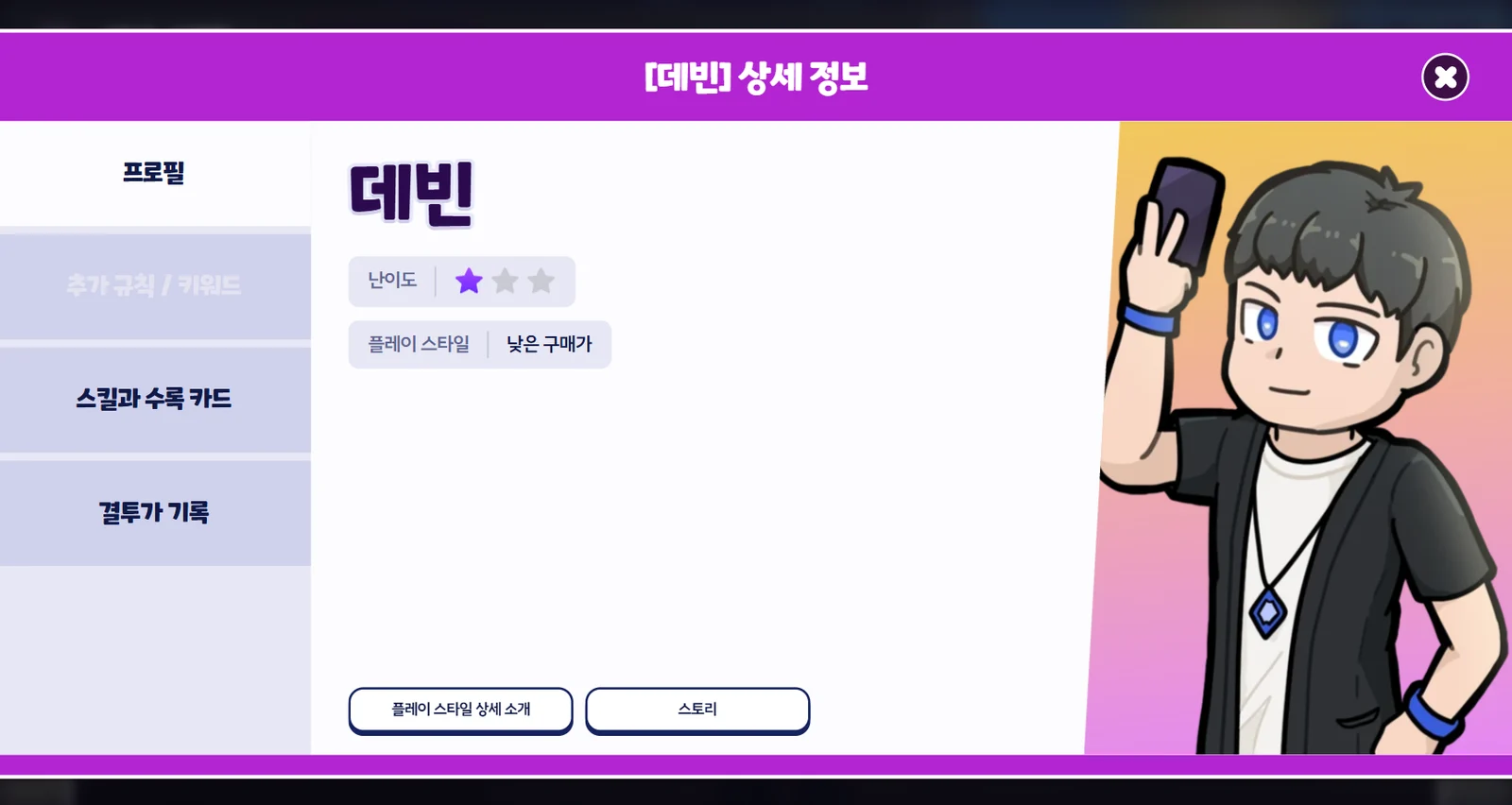
The details screen shows the following information:
| Profile | |
| Difficulty | Shows how tricky this Duelist is to play. (Easy ★ / Normal ★★ / Hard ★★★) |
| Play Style | • The main strategy used when playing this Duelist. • Tap the "Play Style in Detail" button to learn more. |
| Story | Tap the "Story" button to read the Duelist's story. |
| Additional Rules / Keywords | |
| Additional Rules | Extra rules that apply to you and your Rival when playing this Duelist. (Some Duelists have none.) |
| Additional Keywords | If any of this Duelist's cards have new effects not found elsewhere (shown in red text), they are explained here. (Some Duelists have none.) |
| Skill and Included Cards | |
| Max HP | The Duelist starts the match with this much HP. |
| Skill | • The Duelist's special ability. • Skills fall into two main types: "Active" skills you use yourself and "Passive" skills that trigger automatically. |
| Included Cards | • The cards this Duelist has, usually 10 types that can be stocked in the Market. • Tap a card to view its details. |
| Duelist Record | |
| View your match history with this Duelist. | |
Special Events for Beginners
Duelists who have just started the game can join the guide events!
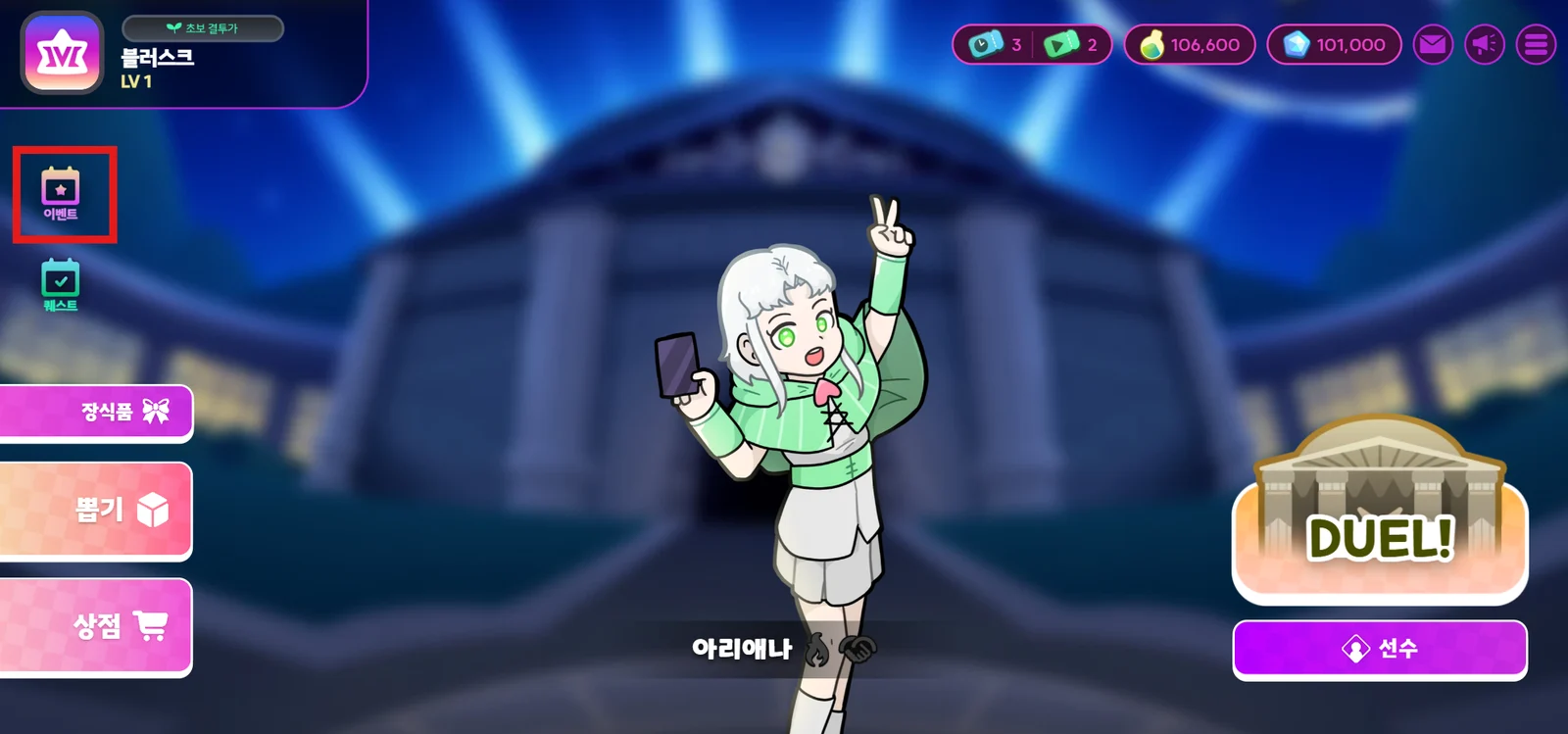
- In the main lobby, tap Event.
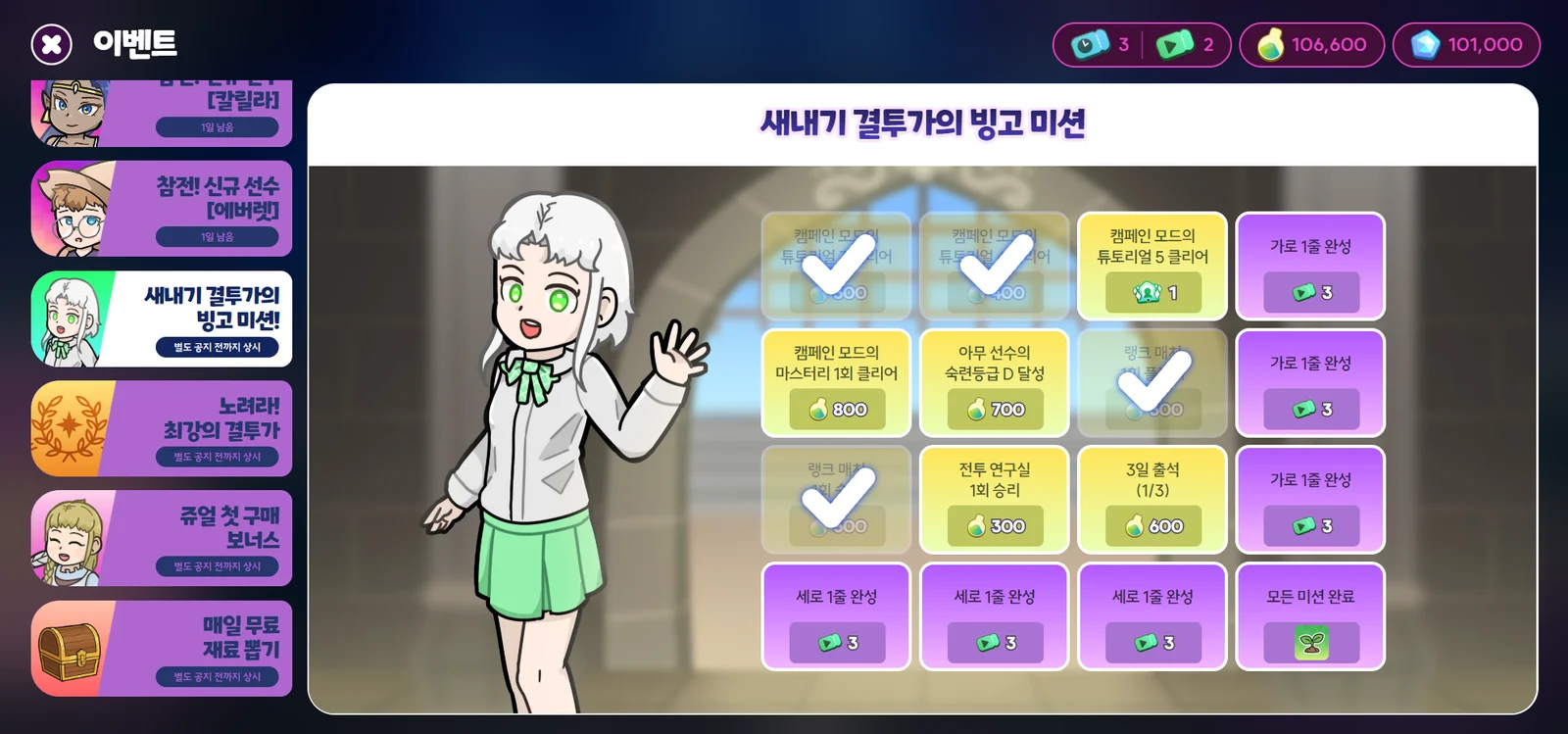
- Under Events, try the "Rookie Duelist Bingo Missions"! This event rewards you with items that help you unlock and try out Duelists.
Need more help?
Contact us by visiting the official Discord server or by emailing help@metaversus.dev.